
Most websites chase the same broad keywords and wonder why they never rank. The smarter move is to go after long tail keywords. They are easier to rank for, bring in more qualified traffic, and convert at a higher rate than short, generic terms.
According to Backlinko's analysis of 306 million keywords, 91.8% of all search queries are long tail. That means the majority of real search traffic happens in the long tail, not at the top of the keyword list.
This guide shows you exactly how to find long tail keywords for SEO using free tools, Google itself, and the data you already have.
A long tail keyword is a specific search phrase, usually three or more words, that targets a narrow topic or intent. Instead of "running shoes," a long tail version might be "best trail running shoes for flat feet." Instead of "SEO agency," it might be "affordable SEO agency for small business in California."
The specificity is the point. Long tail keywords tell you exactly what the searcher wants, which makes it far easier to create content that matches their intent and ranks well.
Here is how long tail keywords compare to short, broad terms:
Notice how the trade-off works: long tail keywords give up search volume but win on competition, intent, and conversion rate. That trade-off is almost always worth it, especially for newer sites or pages targeting buyers instead of browsers.
Long tail keywords have an average conversion rate of 36%. The best-performing landing pages convert at around 11%. That gap tells you everything about the quality of traffic long tail search brings in.
Google Autocomplete is the fastest free long tail keyword tool you have access to. Every suggestion Google shows when you start typing is based on real searches people have made. That makes it one of the most accurate sources of long tail keyword data available.

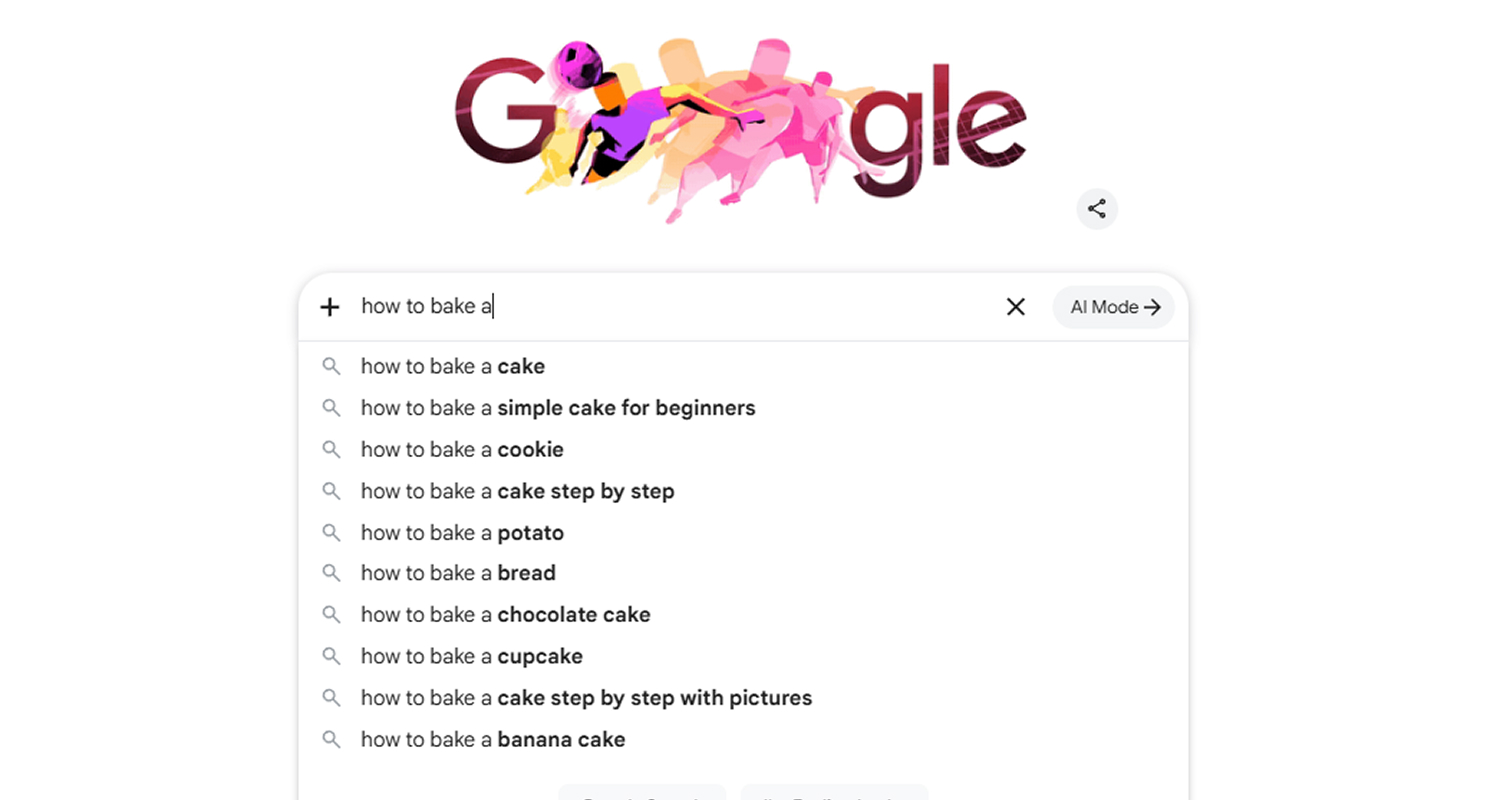
CAPTION: This screenshot shows the alphabet soup method in action. Typing "how to bake a" returns eight long tail keyword suggestions, and switching to "how to bake b" returns a completely different set. Each letter of the alphabet pulls a fresh batch of real search queries, giving you dozens of keyword ideas from a single seed term without opening any other tool.
This method, sometimes called alphabet soup expansion, can produce over 150 unique long tail keyword ideas from a single seed term. It is completely free and takes less than an hour per topic.
Here is how to use it:
Two other free sources sit inside Google's search results and most people walk straight past them.
The People Also Ask box appears in most Google search results. It shows the follow-up questions real users ask after their initial search. Every question in this box is a long tail keyword opportunity.
Search your main topic and scroll to the People Also Ask section. Click on each question to expand it and trigger more related questions to appear. A single search can produce dozens of specific, question-based long tail keywords with clear search intent behind them.
Scroll to the bottom of any Google results page and you will find the Related Searches section. These are eight additional phrases Google considers closely tied to your search. Each one is a long tail keyword variation you can research further.

Combine Autocomplete, People Also Ask, and Related Searches on a single topic and you will have a working list of 50 to 100 long tail keyword ideas without opening a single paid tool.
If your site has been live for any amount of time, Google Search Console is one of the best free long tail keyword research tools you have. It shows you the exact search queries people used before clicking through to your site, including long tail terms you may not even know you rank for.
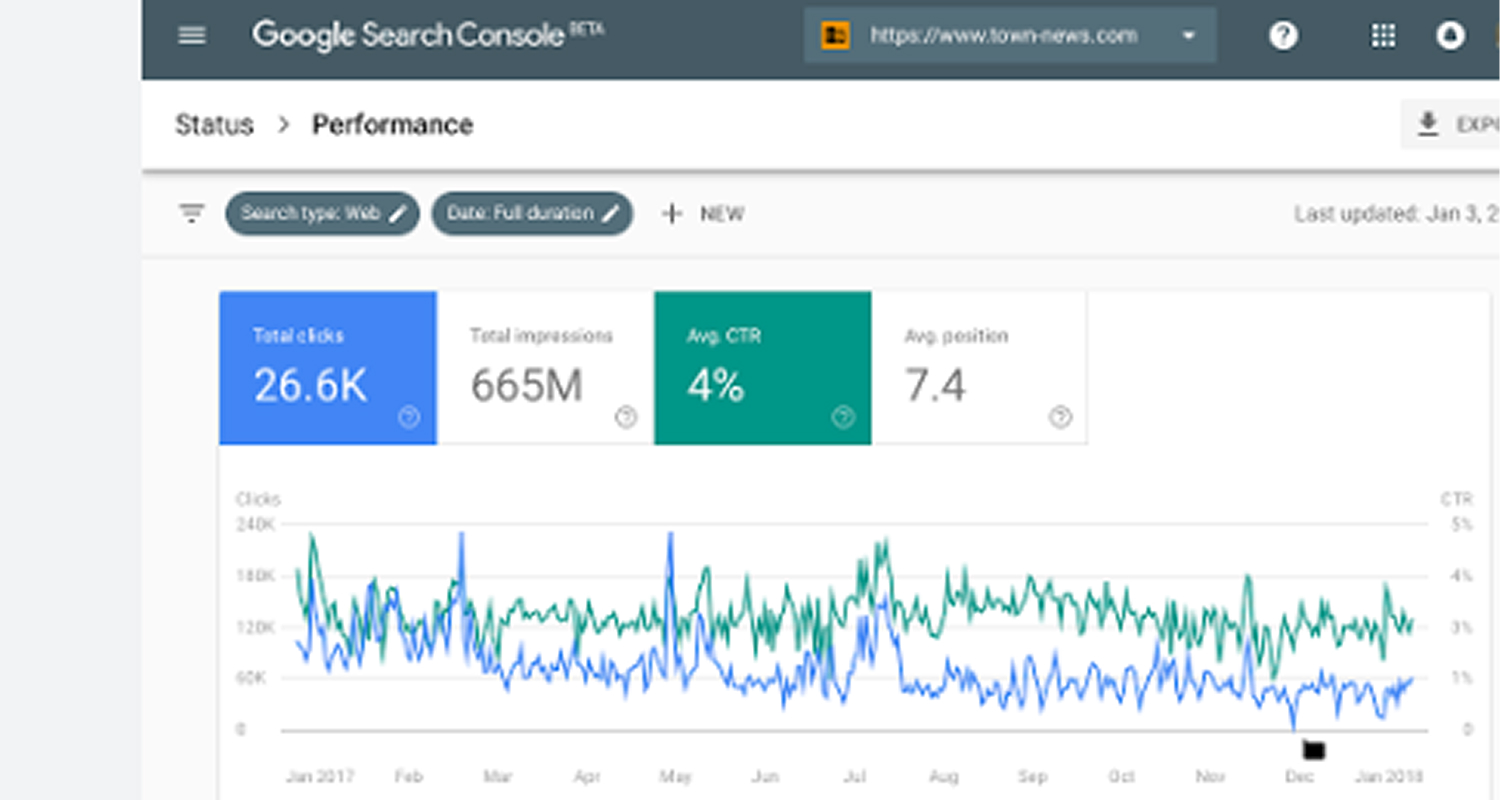
Here is how to find them:
That last filter is where the real opportunity sits. Any keyword where you rank on page two is close to being visible. A content update, a stronger internal link, or a more focused page can push those terms onto page one without starting from scratch.
You can also look at queries that get high impressions but few clicks. Those terms are already appearing in Google Search. The problem is usually a weak title tag or meta description, not the content itself. Fixing those alone can increase your organic search traffic without writing a single new page.
At ReachGiant, Search Console performance data is the first place we look when building a long tail keyword strategy for a new client. The data is sitting there. Most businesses just never use it. If you want us to pull it for your site and build a plan around it, book a free call.
Google Keyword Planner is a free tool inside Google Ads. You do not need to run ads to use it. It shows you search volume ranges for any keyword and surfaces related terms you may not have considered.
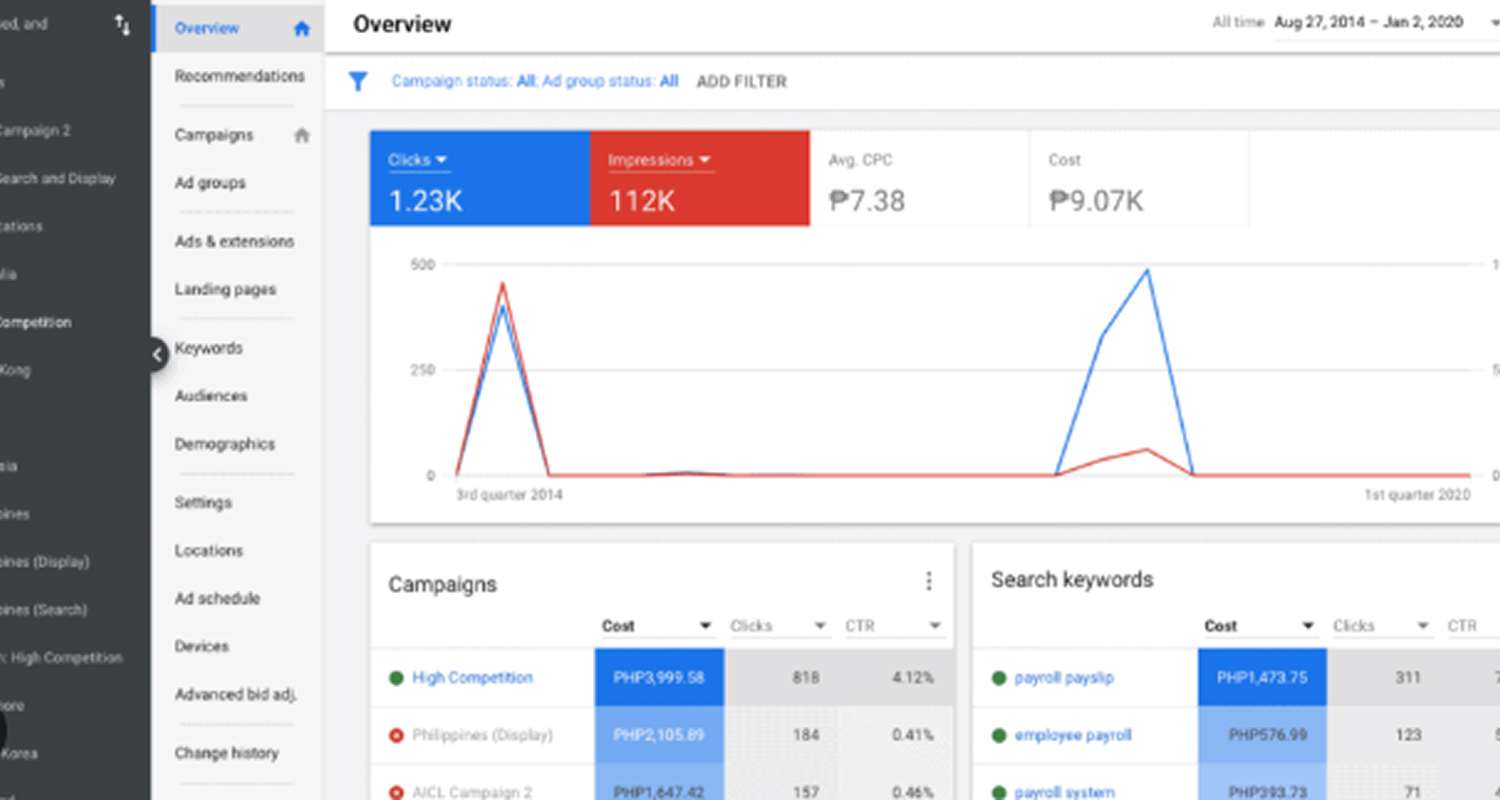
To use it for long tail keyword research:
One thing to note: Keyword Planner groups search volumes into ranges rather than exact numbers unless you are running an active ad campaign. For direction on which keywords to pursue, the ranges are more than enough to work with.
Pair this with your Autocomplete and People Also Ask research and you now have both keyword ideas and volume data to prioritize them.
Your competitors have already done a large portion of your keyword research for you. Looking at which long tail keywords they rank for tells you what is working in your space and shows you gaps where they are weak.
Tools like Ahrefs, Semrush, and Moz let you enter a competitor's URL and pull every keyword they rank for, including all their long tail terms. You can filter by keyword difficulty, search volume, and position to find phrases that are both achievable and worth targeting.
Here is exactly what to look for when you run a competitor keyword analysis:
Understanding keyword research at a deeper level helps you use competitor data more strategically, not just copying what they rank for but identifying where they leave gaps.
Finding a long tail keyword is only half the job. Before you create any content, you need to match the search intent behind it. Search intent is the reason someone typed that query. Getting it wrong means writing a page Google will not rank, no matter how well optimized it is.
To check search intent, search your long tail keyword in Google and look at what already ranks on page one. If the top results are all blog posts, write a blog post. If they are product pages, that is what Google expects. Trying to rank a service page for an informational keyword, or a blog post for a transactional one, almost never works.
Matching search intent correctly is what separates long tail keywords that drive organic traffic from ones that just sit on a page collecting dust.
Beyond Google itself, several free and low-cost keyword research tools are built specifically for finding long tail keywords with low keyword difficulty.
AnswerThePublic: Pulls question-based long tail keywords from Google Autocomplete and People Also Ask. It is excellent for finding conversational queries. The free version gives you a limited number of daily searches.
CAPTION: This is what an AnswerThePublic result looks like for the search term "how to rank in SEO." The wheel groups related queries into categories like Search Engines, Social Media, and AI Models, showing every variation of the topic people are actively searching for. Each segment on the outer ring is a ready-to-use long tail keyword, surfaced directly from Google Autocomplete and real user searches in the US.
Google Trends: Shows whether a long tail keyword is growing or declining in interest. Use it to confirm that a keyword has consistent demand before building a page around it.
Keyword Tool (keywordtool.io): Uses Google Autocomplete to generate up to 750 keyword suggestions from a single seed term. The free version does not show search volume, but it surfaces long tail variations quickly.
Ubersuggest: Offers a limited number of free searches per day and shows keyword difficulty, search volume, and related terms. Good for getting a quick read on whether a long tail keyword is worth pursuing.
Search Console Queries: As covered in Step 4, this is already your best free tool. The data comes directly from Google and reflects real searches on your actual site.
For most businesses starting out, combining Google Autocomplete, People Also Ask, Google Keyword Planner, and Search Console covers most of what a paid tool does for long tail keyword research.
You can also use ChatGPT for keyword research to generate seed ideas and expand your list quickly before validating with real data.
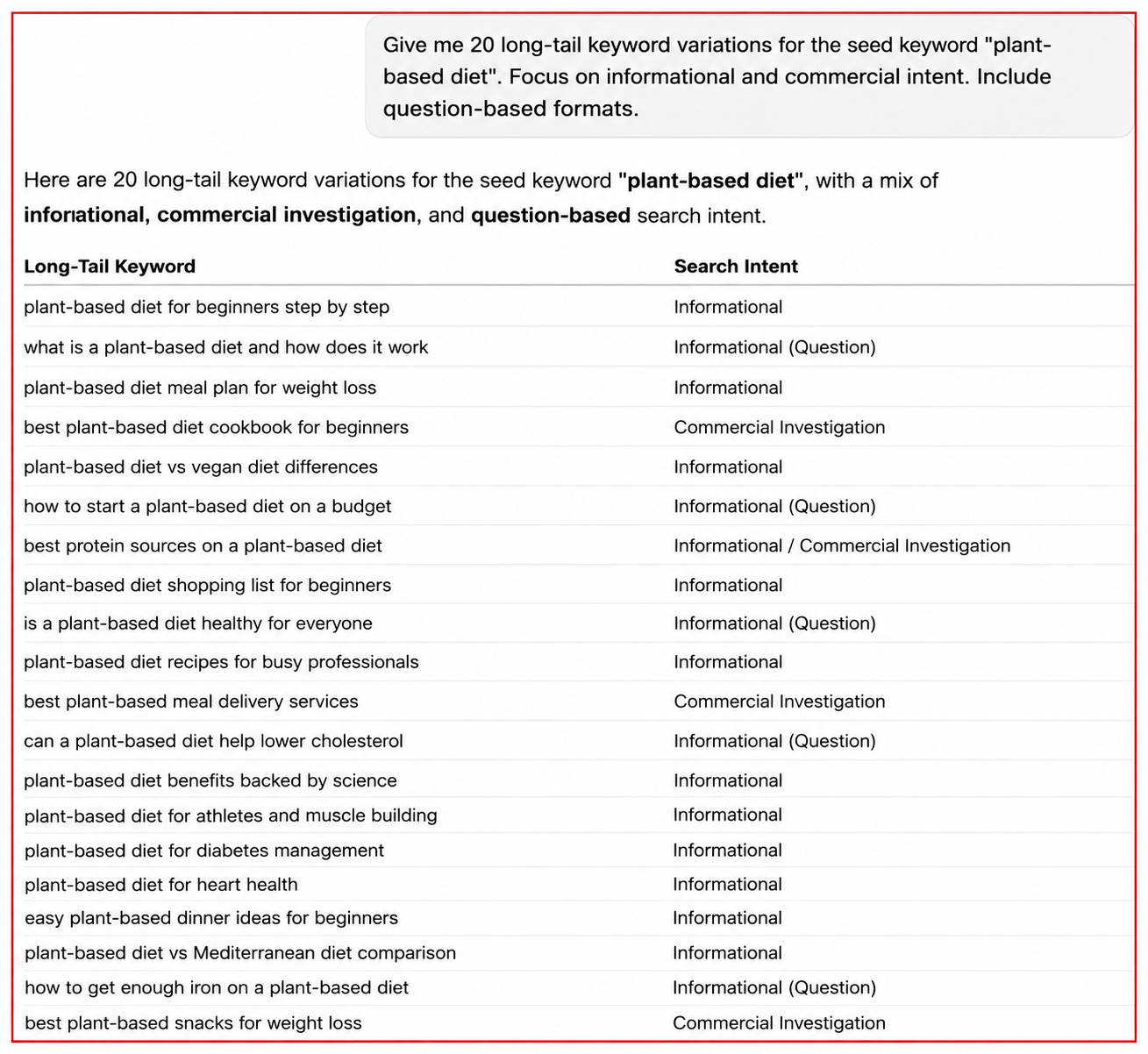
CAPTION: This screenshot shows exactly how that works in practice. Let’s say you are looking to improve your SEO for your restaurant, cafe, or a catering business. A single prompt asking for 20 long tail keyword variations for "plant-based diet" returns a full list of specific phrases, each labeled by search intent. In under a minute, you have informational, commercial, and question-based keyword ideas ready to validate in Google Keyword Planner or Search Console before building any content around them.
If you are not sure how to prompt it effectively, this ChatGPT cheat sheet covers the exact prompts that get the best keyword research results. You can also ask Perplexity and Gemini for keyword research.
Once you have a list of long tail keywords, the next step is deciding which ones to go after first and where each one belongs on your site.
A practical way to prioritize:
Each long tail keyword should map to one specific page. Two pages targeting the same keyword will compete against each other and split the ranking signal. This is called keyword cannibalization and it is one of the most common reasons sites fail to rank despite having good content.
If two existing pages already target the same long tail keyword, consolidate them into one stronger page and redirect the old URL. One well-built page almost always outranks two thin ones.
Our SEO services at ReachGiant include full keyword mapping and cannibalization audits so every page on your site has a clear purpose and a real chance of ranking.
Long tail keywords are where most organic search traffic actually lives. They are easier to rank for, they attract people who know what they want, and they convert at a higher rate than broad terms. The data is clear on all three points.
The methods in this guide cost nothing to start. Google Autocomplete, People Also Ask, Related Searches, and Search Console together give you more long tail keyword data than most businesses ever use. Add a free tool like AnswerThePublic or Keyword Tool and you have a complete research process.
If you want help building a long tail keyword strategy that turns into actual rankings and organic traffic growth, ReachGiant works with businesses across the US to do exactly that. Get in touch or book a free meeting to get started.
How do I find long tail keywords for a new website?
Start with Google Autocomplete and People Also Ask for your main topics. Use Google Keyword Planner to check search volume. Focus on keywords with clear search intent and low keyword difficulty. New sites rank faster on long tail terms because there is less competition.
What is the best way to find low competition long tail keywords?
Use Google Autocomplete with alphabet expansion to generate a large list, then manually check the page one results for each keyword. If the ranking pages are thin, outdated, or off-topic, that keyword has weak competition regardless of what a tool's difficulty score says.
How do I use long tail keywords once I find them?
Assign each keyword to one specific page on your site. Match the content format to the search intent behind the keyword. Include the keyword naturally in your title tag, H1, first paragraph, and a few subheadings. Do not force it.
What are long tail keywords and how do they benefit SEO?
Long tail keywords are specific, multi-word phrases with lower search volume and lower competition than broad terms. They benefit SEO because they are easier to rank for, attract visitors with clear intent, and convert at a higher rate. Long tail keywords have an average conversion rate of 36% compared to around 11% for the best-performing generic landing pages.
What is the best way to find long tail keywords using a keyword tool?
Enter a seed keyword into a tool like Google Keyword Planner, Ahrefs, or Semrush. Filter by low keyword difficulty and three or more words. Sort by search volume to find terms with enough demand to be worth targeting. Cross-check the results with Google Autocomplete for additional variations.
What are the benefits of using long tail keywords for SEO?
They rank faster, attract more qualified traffic, convert at a higher rate, and face less competition. Long tail content also tends to rank for multiple related queries at once, which compounds your organic traffic over time without requiring more pages.
How do I find long tail keywords with enough search volume?
Use Google Keyword Planner or Ahrefs to filter for keywords with at least 100 to 500 monthly searches. Do not ignore keywords with lower volume if the intent is strong. A keyword with 200 monthly searches and a 36% conversion rate is more valuable than one with 5,000 searches and almost no conversions.
Are there free long tail keyword tools?
Yes. Google Autocomplete, People Also Ask, Related Searches, Google Keyword Planner, Google Search Console, AnswerThePublic (free tier), and Ubersuggest (free tier) are all free. For most businesses, these tools cover the full long tail keyword research process without any paid subscription.
How is long tail keyword research different for a new website?
New sites have less authority, so ranking for broad competitive terms takes much longer. Long tail keywords with low keyword difficulty are the fastest path to first-page rankings and early organic traffic. Start there, build authority, then move toward more competitive terms over time.


.png)

.png)
.png)

.png)
.png)
.png)








.svg)