Google Ads negative keywords tell Google which searches should never trigger your ads, which protects your budget from clicks that were never going to convert. Good Google Ads management treats them as a routine, because new irrelevant search terms appear every week. This guide shows how to find negative keywords, add them at the right level, and keep the list clean as your campaigns grow.
ReachGiant is a digital marketing agency, and trimming wasted spend is one of the quickest ways to make a paid search budget work harder. The examples below use a made-up plumbing company.
A negative keyword is a word or phrase that stops your ad from showing on searches that contain it. An optometrist who sells eyeglasses, for example, can add “wine glasses” so the ads skip people shopping for drinkware.
Negative keywords work differently from regular keywords, which is where many mistakes begin. Google’s guide to negative keywords explains that they do not match close variants, so blocking one word form can leave another form open.
For Search campaigns, Google offers three negative match types, and they decide how much traffic you block. The table uses the negative keyword “running shoes” to show the difference.
Phrase match is a safe starting point when you want to block a specific expression. Exact match suits a single bad query, and broad match suits a word you never want. Because negatives skip close variants, add singular and plural forms separately.
A plumber wants homeowners with a leak, not job seekers or hobbyists. Picture the account after a month with no negatives.
A few dozen clicks came from people hunting for plumbing jobs and repair videos, and none of them called. Those clicks cost the same as a click from a homeowner with a burst pipe. The table shows how a short list of Google Ads negative keywords could look.
Treat any ready-made list as a starting point, not a rule. Your own account shows what real searchers type, and that is the list that matters.
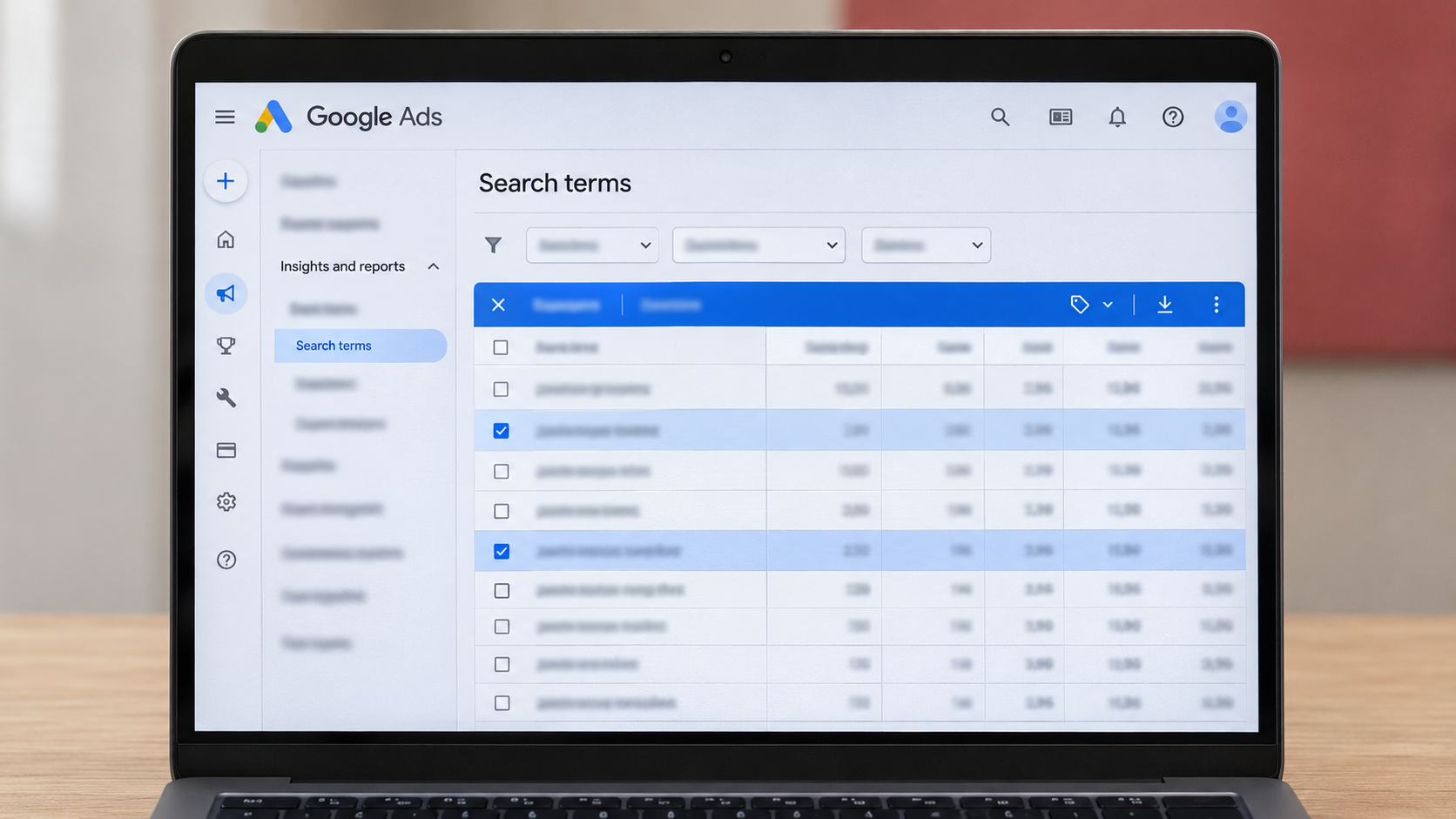
The search terms report shows the actual searches that triggered your ads. Work through it in a few steps.
Not every unprofitable search deserves a negative. A term that has not converted yet may simply need more data, so look at several weeks of results before blocking it.
Our guide to understanding Google Ads metrics explains the cost and conversion numbers worth watching. Other sources help too, such as competitor brands you do not sell and the autocomplete suggestions for your core terms.
Here is how to add negative keywords without blocking more than you intend. Google Ads lets you add them to an ad group, a campaign, or the whole account, and you can also reuse a shared list across campaigns.
Use the ad group level for narrow conflicts and the campaign level for most day-to-day work. Google’s account-level negative keywords apply across relevant campaign types, so they suit terms you never want anywhere, such as job-related searches.
A shared list helps when several campaigns need the same exclusions. Update it once, and every campaign that uses it benefits.
Negatives can also steer traffic. Blocking a term in one campaign can push the search toward the campaign whose ad fits it best.
Google Ads negative keywords can also do harm, and the classic mistake is a negative that is too broad. A plumber who blocks “free” may lose valuable searches like “free estimate,” so think through every phrase a word could appear in before adding it.
Forgetting variants is the second mistake. Blocking “job” does nothing for “jobs” unless you add both. The third is accepting every suggestion without reading it, which can quietly remove your best searches.
Review how your account spends overall too, and our guide on how to get the best ROI from Google Ads covers the bigger picture.
Check the search terms report weekly while a campaign is new, then monthly once results settle. Each pass takes minutes and adds up quickly.
Our PPC strategy guide shows how this fits into a full campaign plan, and our list of common PPC mistakes covers other budget leaks worth checking.
Negative keywords and organic keywords both come down to reading search intent. Our guide to SEO keyword examples shows the intent types that matter most.
Google Ads negative keywords are a quiet way to improve results, because every blocked bad click leaves budget for a better one. Find terms in the search terms report, pick the match type carefully, and revisit the list on a schedule. See where this fits among other channels in our digital marketing examples.
To talk through your own Google Ads account, reach out to ReachGiant.
What are negative keywords in Google Ads?
They are words or phrases that stop your ads from showing on searches containing them. They protect your budget from irrelevant clicks.
How do I find negative keywords?
Review the search terms report for searches that spent money without converting or are clearly irrelevant. Then add the problem word, phrase, or query with a suitable match type.
What is the best match type for negative keywords?
Phrase match is a safe default for blocking a specific expression. Use exact match for one bad query and broad match for a word you never want.
Do negative keywords include plurals and variants?
No. Negative keywords do not match close variants, so add singular and plural forms separately.
How many negative keywords should I add?
There is no set number. Add terms that your search terms report shows are irrelevant, and review the list regularly instead of aiming for a target count.
Where do I add negative keywords in Google Ads?
You can add them at the ad group, campaign, or account level, or in a shared list. Use the narrowest level that solves the problem.