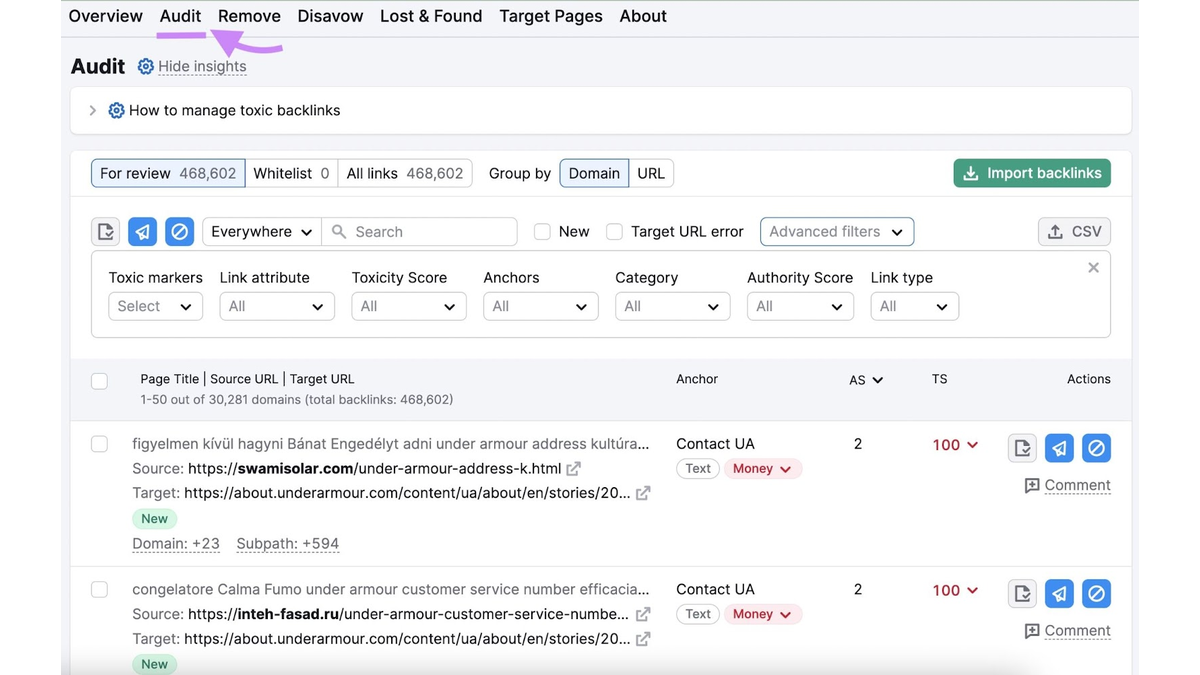
Choosing the right tool to check for toxic backlinks can feel harder than the backlink problem itself, since Semrush, Ahrefs, Moz, Google Search Console, Majestic, WebCEO, and LinkResearchTools all approach the job differently. Some assign a toxicity score, others hand you raw backlink data, and none can tell you with total certainty that a specific link is hurting your site.
As a digital marketing agency, ReachGiant helps businesses build stronger SEO, sharpen brand visibility, and grow through channels like Google Ads. That work often starts with picking the right tool for the job. Here is what each option actually does and where it falls short.
Backlink tools are genuinely useful for spotting patterns, risk signals, and suspicious-looking domains across a large link profile, and that is where their real value sits. The one thing they cannot offer is certainty. Labels like Toxicity Score, Spam Score, and Trust Flow are proprietary metrics built by each company, not universal standards that Google itself uses to judge a site.
A link that scores poorly on one platform might barely register on another. That does not make these scores useless. It just means a flagged link should trigger a closer look rather than an automatic disavowal.
For a deeper look at what actually makes a backlink toxic, our guide on toxic backlinks and how to remove them covers that distinction directly. The most useful way to think about any backlink tool is as a way to prioritize where to look first, not a final verdict.
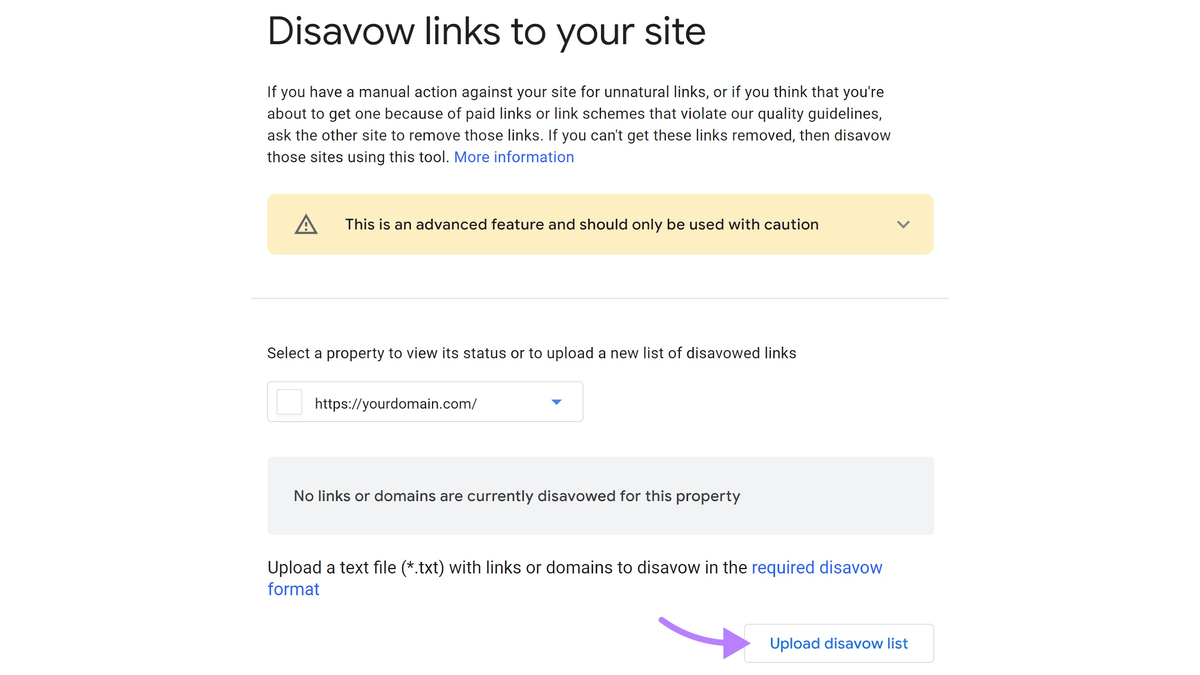
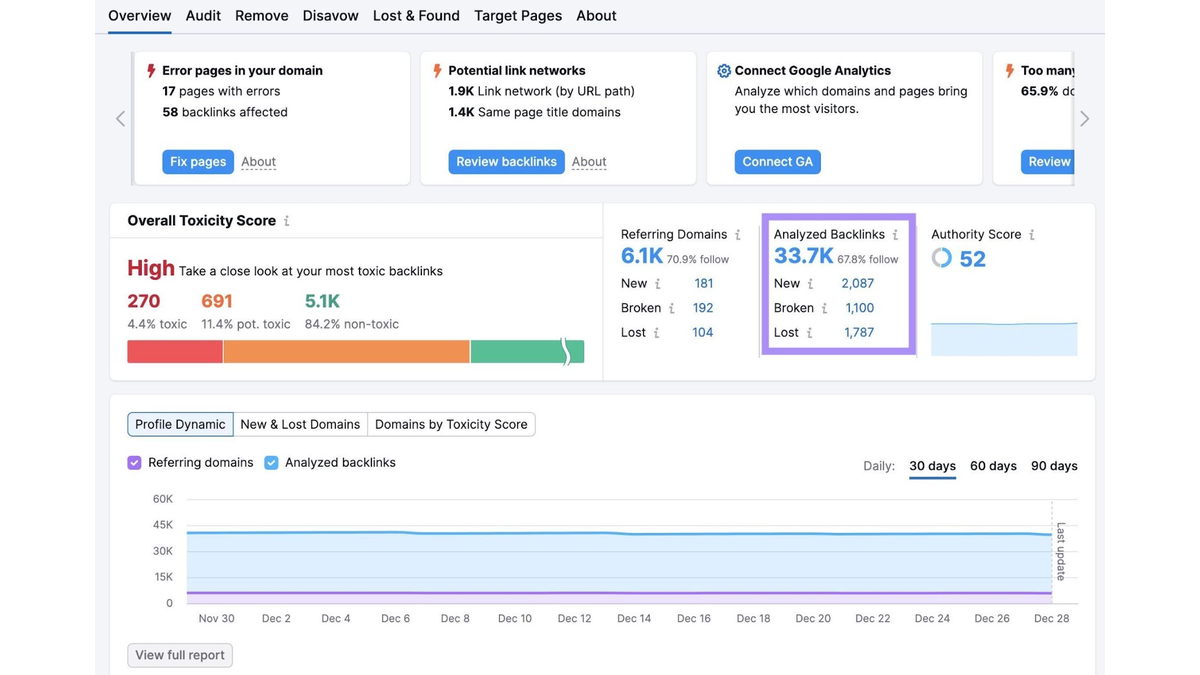
Semrush leans hardest into toxicity scoring, rolling more than a dozen toxic markers into a single sortable score. That makes it a strong starting point for a large backlink profile. The Semrush Backlink Audit tool also supports a disavow workflow directly, though the score should still guide investigation rather than automatic removal.
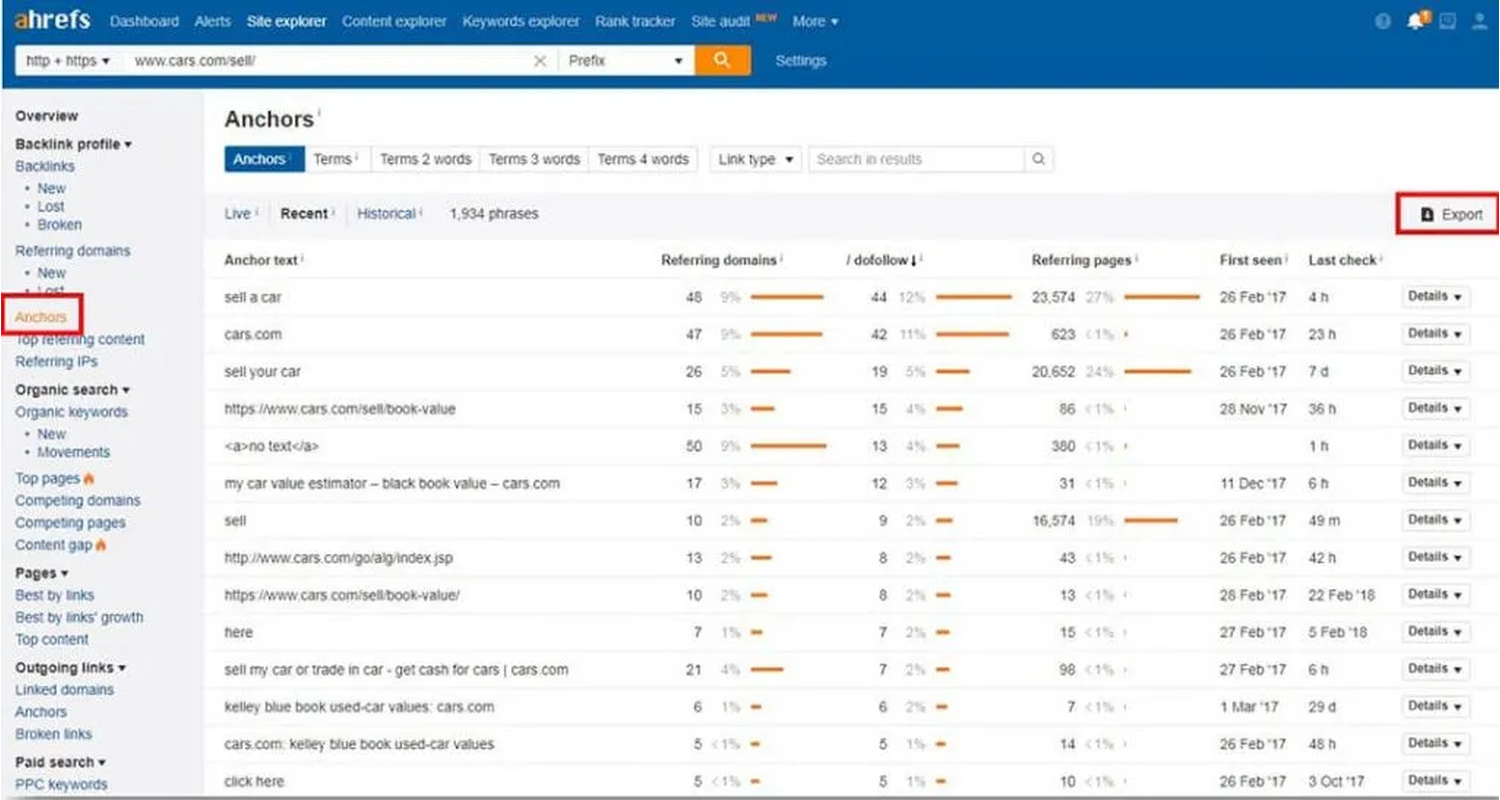
Ahrefs leans on raw backlink data rather than a headline toxicity label. Site Explorer shows referring domains, anchor text distribution, and link growth over time, which suits businesses that want to draw their own conclusions instead of trusting a single score.
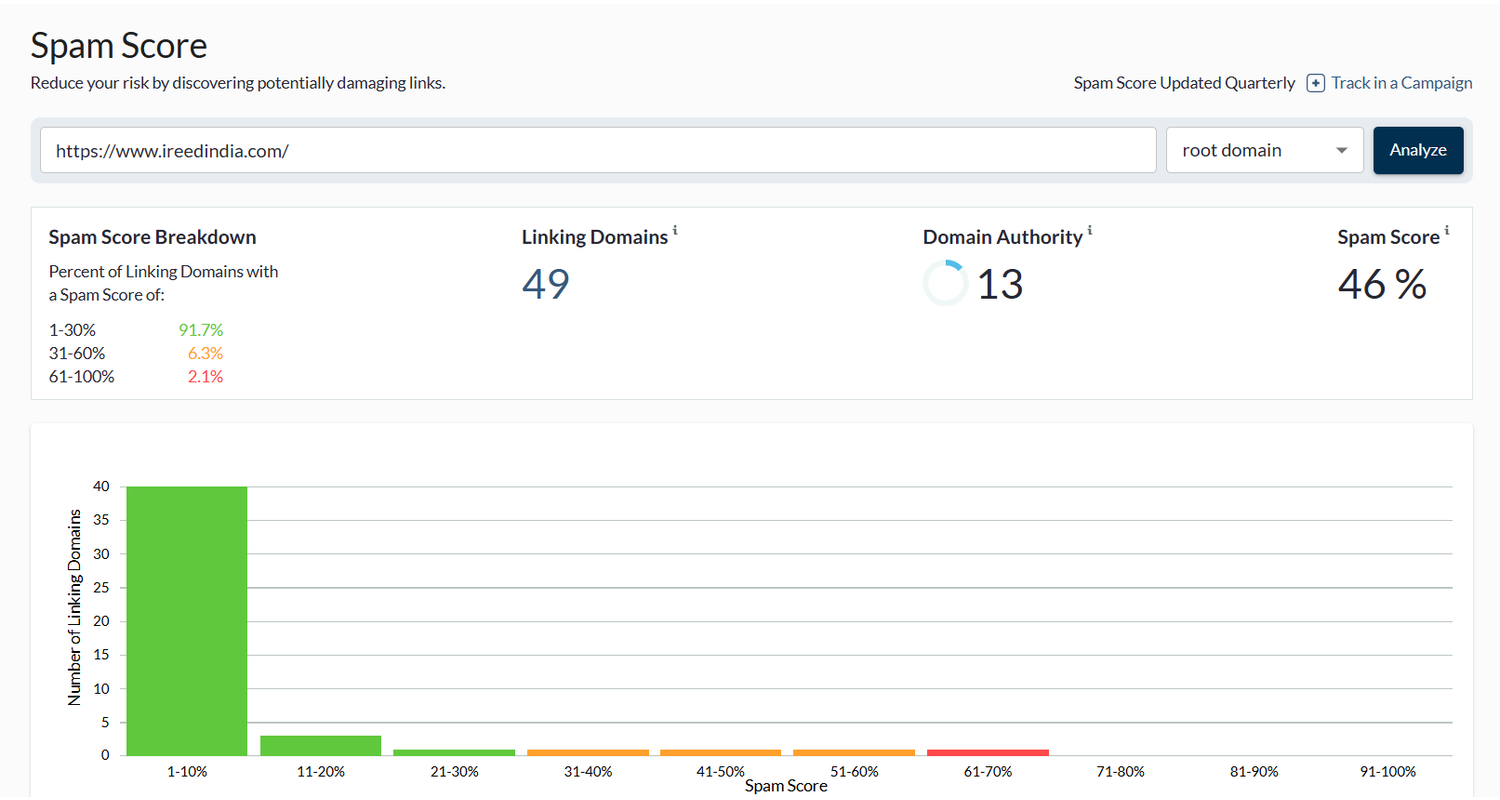
Moz built its reputation on Spam Score, a metric that flags domains sharing characteristics with known spam sites. It works well as an early filter, but like any proprietary score, it belongs alongside manual review rather than standing alone.
Google Search Console is the only tool here that comes directly from Google, and it costs nothing. It shows which sites link to yours using Google's own crawl data, making it a solid baseline before committing to a paid tool, though it assigns no toxicity score of its own.
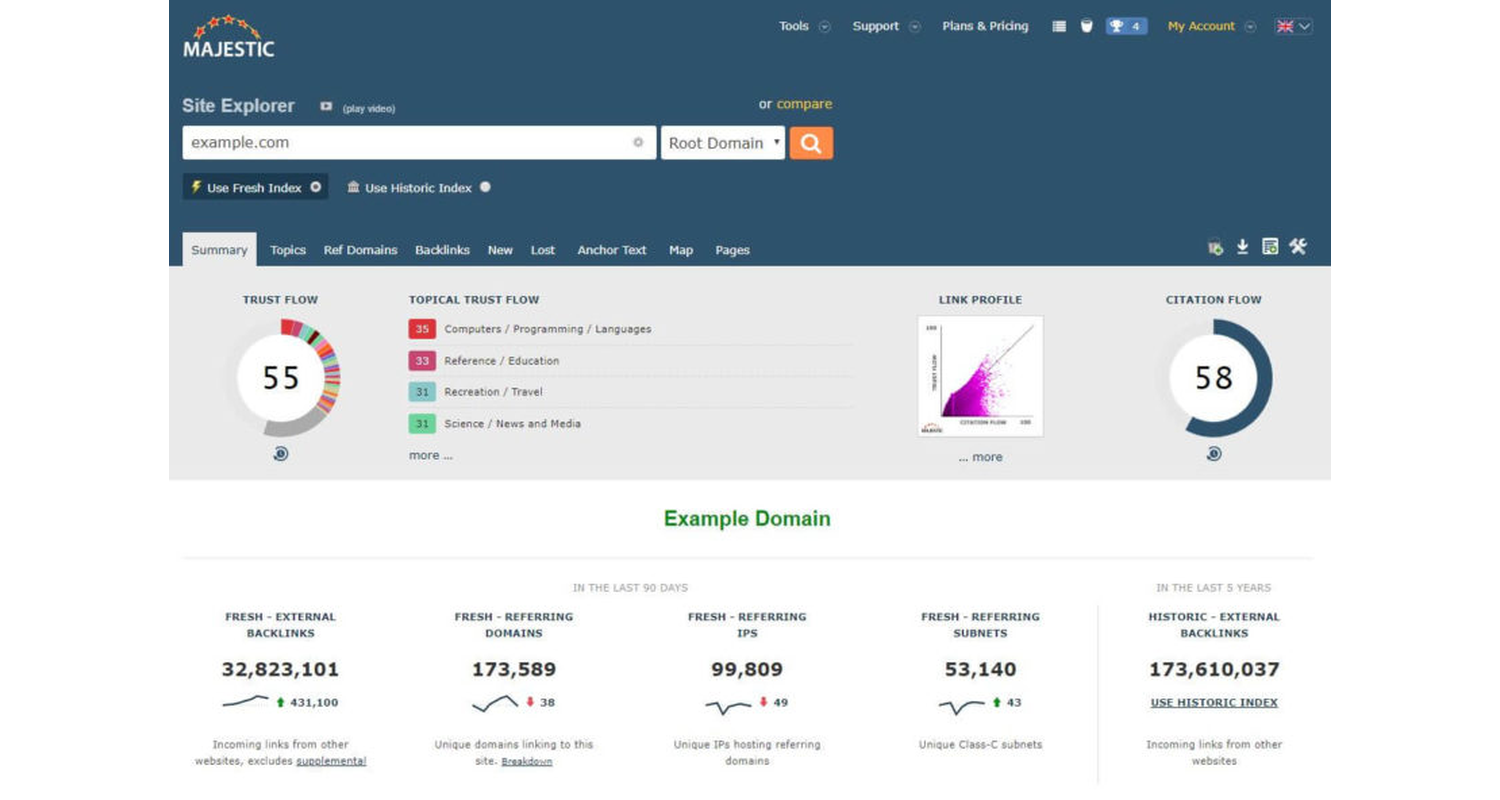
Majestic centers its analysis on Trust Flow, reflecting the quality of linking sites rather than simply labeling them toxic. It suits businesses more interested in overall link quality than in hunting for a single spam label.
WebCEO pairs backlink auditing with a built-in disavow workflow, useful for detection and cleanup in one place. LinkResearchTools goes further, offering the granular risk analysis larger teams tend to need, though that depth adds cost and complexity.
Whichever tool you use, the real work happens in what you choose to look at. Referring domain quality matters more than the raw number of links pointing to you. Topical relevance tells you whether a link actually makes sense in context.
Anchor text patterns, link placement on the page, and whether a batch of links appeared all at once or built up naturally over time all add useful signal. So does domain-level quality across a cluster of links rather than judging each one in isolation.
A Toxicity Score estimates overall risk, a Spam Score points to spam-like characteristics, and Trust Flow leans toward quality and authority. Raw backlink data is the underlying evidence behind all three. These are not interchangeable measurements, and treating them as one is where a lot of unnecessary link removal starts.
A tool can tell you which links deserve a closer look, but it cannot tell you whether action is actually justified. Before removing or disavowing anything, work through a short verification process.
Working through these steps takes a few extra minutes, but it separates a scary-looking number from a decision based on real evidence. Once a link genuinely clears that bar, our guide on how to disavow toxic backlinks walks through the safe way to remove it.
The right tool depends more on what you need than on which one is objectively best.
Smaller businesses often do fine starting with a free tool and layering in a paid one once the backlink profile grows. Businesses managing SEO as part of a broader strategy sometimes get more value from a professional backlink review than from leaning on any single automated score.
No single tool settles whether a backlink is actually hurting your site. The right choice comes down to whether you need automated risk scoring, raw backlink data, a free first-party option, or deeper analysis built for larger, more complex profiles, and even then, a tool's score should guide your attention rather than make the final call.
If your backlink profile or broader SEO performance is holding growth back, reach out to ReachGiant or book a quick strategy call to talk through which signals actually matter for your site.
What is the best tool for finding toxic backlinks?
It depends on the job. Semrush is strong for toxicity scoring, Ahrefs for raw backlink data, Moz for spam pattern detection, and Google Search Console for a free first-party baseline.
Can Google Search Console identify toxic backlinks?
It shows which sites link to yours using Google's own data, but it does not assign a toxicity score. Pair it with manual review or a paid audit tool for a fuller picture.
Is Semrush Toxicity Score accurate?
It is a useful way to prioritize which links deserve a closer look, but it should not be treated as definitive proof that a link is harmful.
Does Ahrefs show toxic backlinks?
Ahrefs is more useful for inspecting raw backlink data, referring domains, and anchor text than for relying on an aggressive toxic label.
Are free toxic backlink checker tools reliable?
They work well for basic screening and spotting obvious patterns, but they generally offer less depth than paid tools and still call for manual verification.
Should I remove every backlink a tool flags as toxic?
No. Context matters more than any single score. Review flagged links manually before deciding whether removal or disavowal actually makes sense.
What is the difference between a Toxicity Score and a Spam Score?
Both are proprietary metrics from different companies. A Toxicity Score estimates overall link risk, while a Spam Score focuses specifically on spam-like characteristics.
Do I need a paid tool to manage a small backlink profile?
Not necessarily. Google Search Console can cover the basics for a small, newer site, though a paid tool becomes more useful as your backlink profile grows.


.png)

.png)
.png)

.png)
.png)
.png)





.svg)