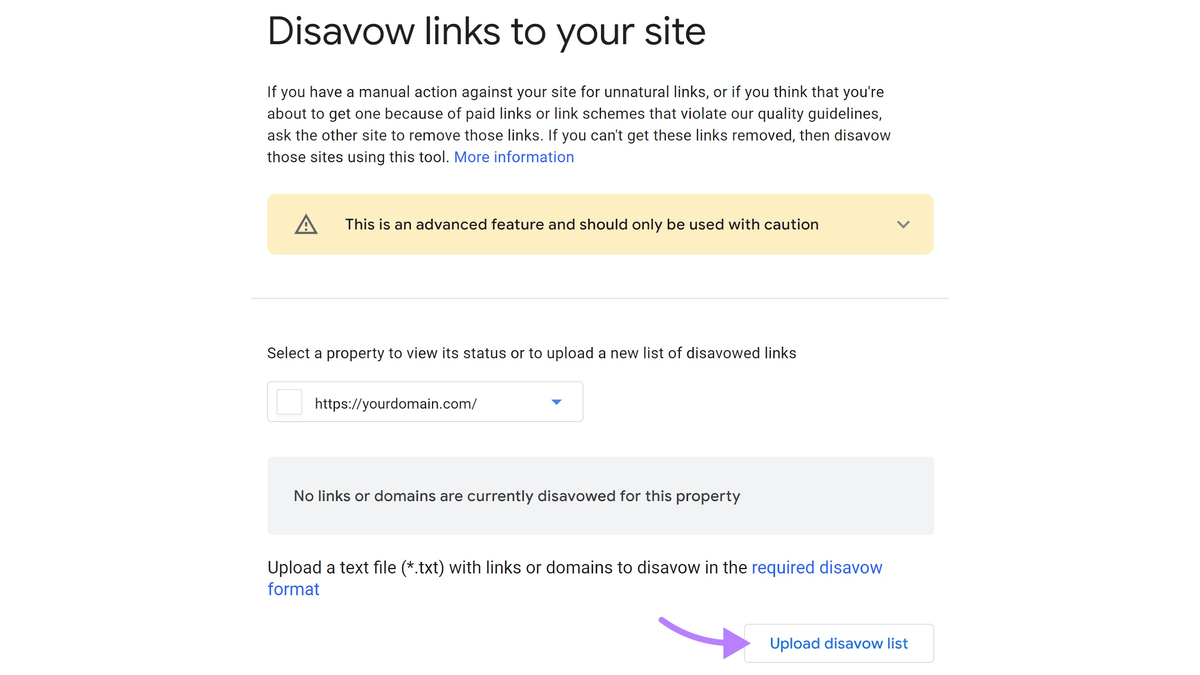
Disavowing a backlink means asking Google to stop counting it as a signal for your site, and it is one of the more serious actions you can take in SEO. The safe process starts with reviewing your backlink profile, confirming which links actually pose a risk, building a correctly formatted disavow file, and submitting it through Google's Disavow Tool. Most low-quality or random spam links do not need this step at all.
As a digital marketing agency, ReachGiant helps businesses improve SEO, strengthen brand visibility, and grow through channels such as Google Ads. Disavow decisions are exactly the kind of high-stakes call worth getting right the first time.
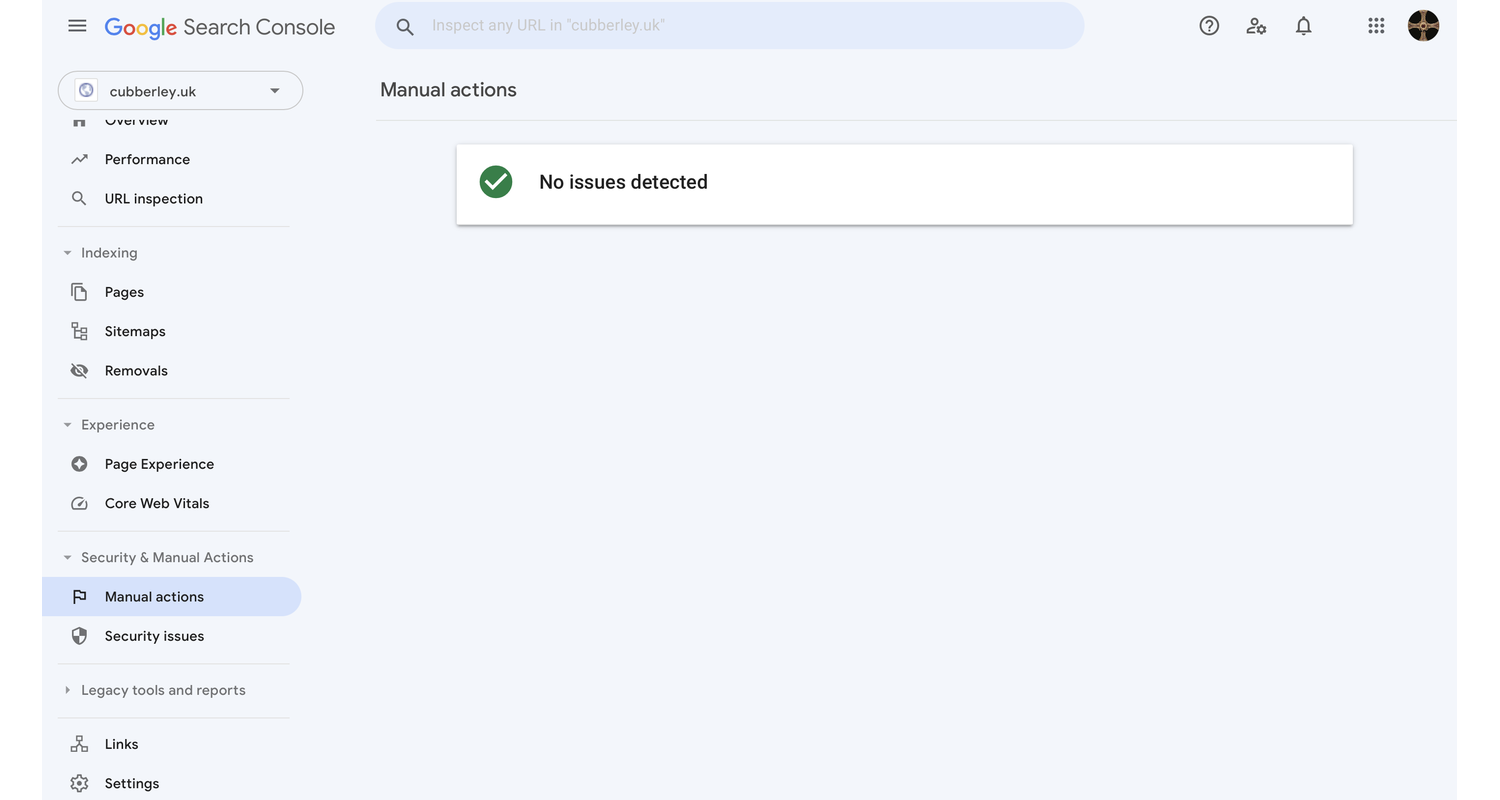
Google already ignores a large share of ordinary link spam without any help from a site owner, and a third-party toxicity score alone is rarely a good enough reason to disavow anything. For a broader look at when a backlink actually deserves attention, our guide on toxic backlinks and how to remove them walks through that decision in more depth.
Disavowal makes more sense once stronger evidence shows up. That includes a manual action tied to unnatural links, a history of paid or manipulative link building, participation in an actual link scheme, or an unusually aggressive spam attack.
Disavowal should follow evidence, not a tool score. That single idea shapes almost everything else in this guide.
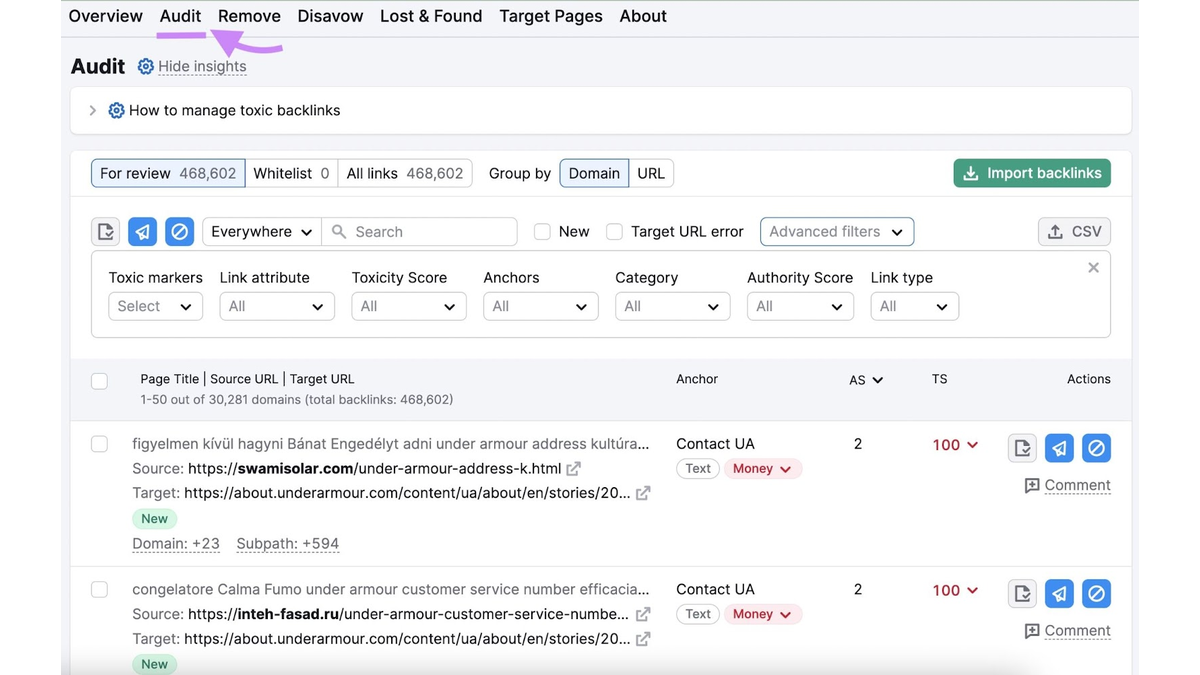
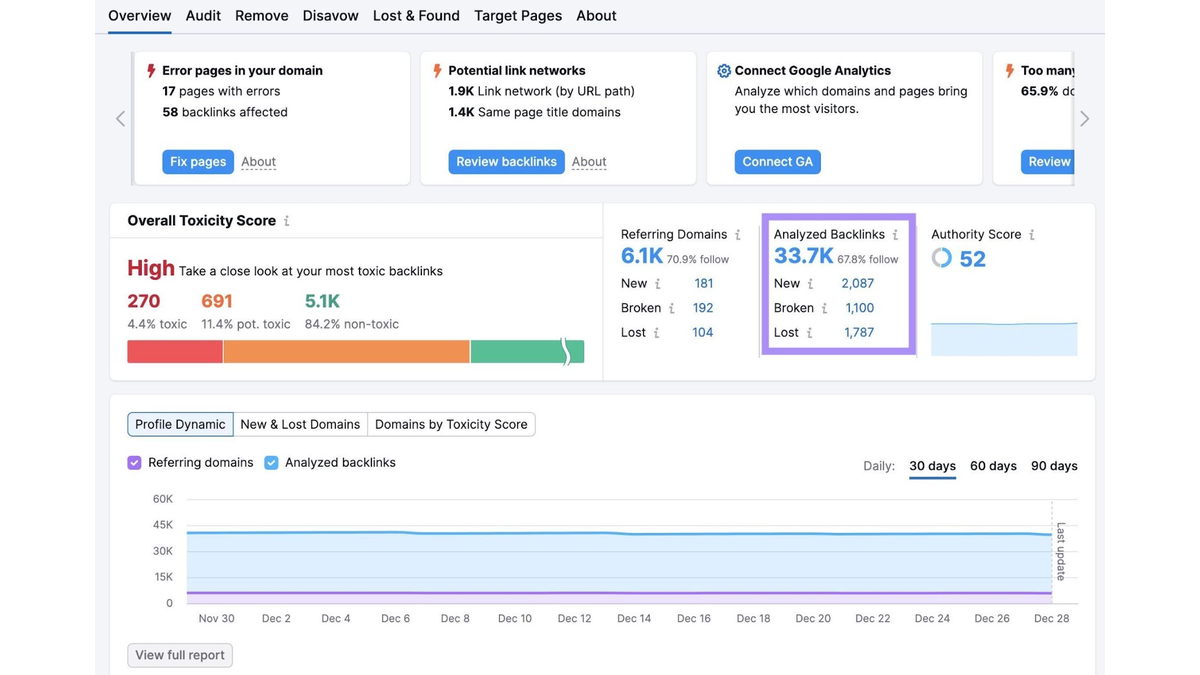
Before building anything, narrow the list down to links that genuinely deserve scrutiny. Google Search Console shows manual actions and basic backlink data, while a paid audit tool can add referring domain and anchor text detail on top of that.
From there, look manually for links from unrelated industries, links loaded with exact-match commercial anchor text, links sitting on obvious link farms, or links you or a past agency built on purpose. For a full breakdown of which tools handle this best, our guide on tools that identify toxic backlinks covers the comparison in detail. A reviewed list, built by a person rather than exported straight from a scoring tool, is what belongs in a disavow file.
Start from a reviewed list rather than exporting every link a tool happens to label toxic. Each entry should have a clear, specific reason for inclusion.
If the link came from a source you can realistically reach, such as a site involved in a past manipulative campaign or simply a cooperative site owner, try contacting them directly first. Removal deletes the backlink itself, while disavowal only asks Google to disregard it, and the two are not interchangeable.
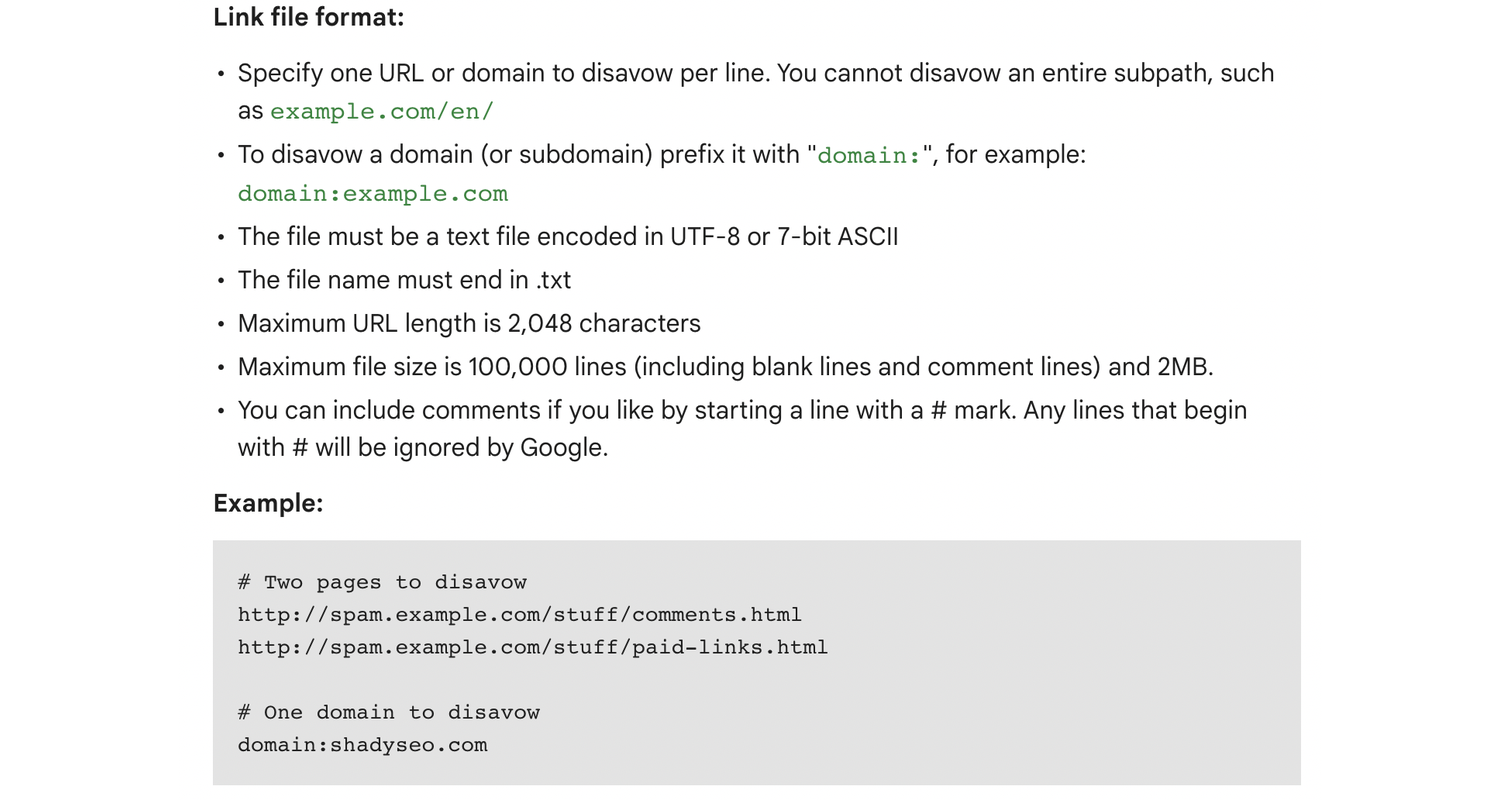
A disavow file is a plain .txt document with one entry per line. Use the exact URL for individual pages, and use the domain prefix shown below when an entire domain is the problem.
https://spam-example.com/bad-page
domain:spamdomain.com
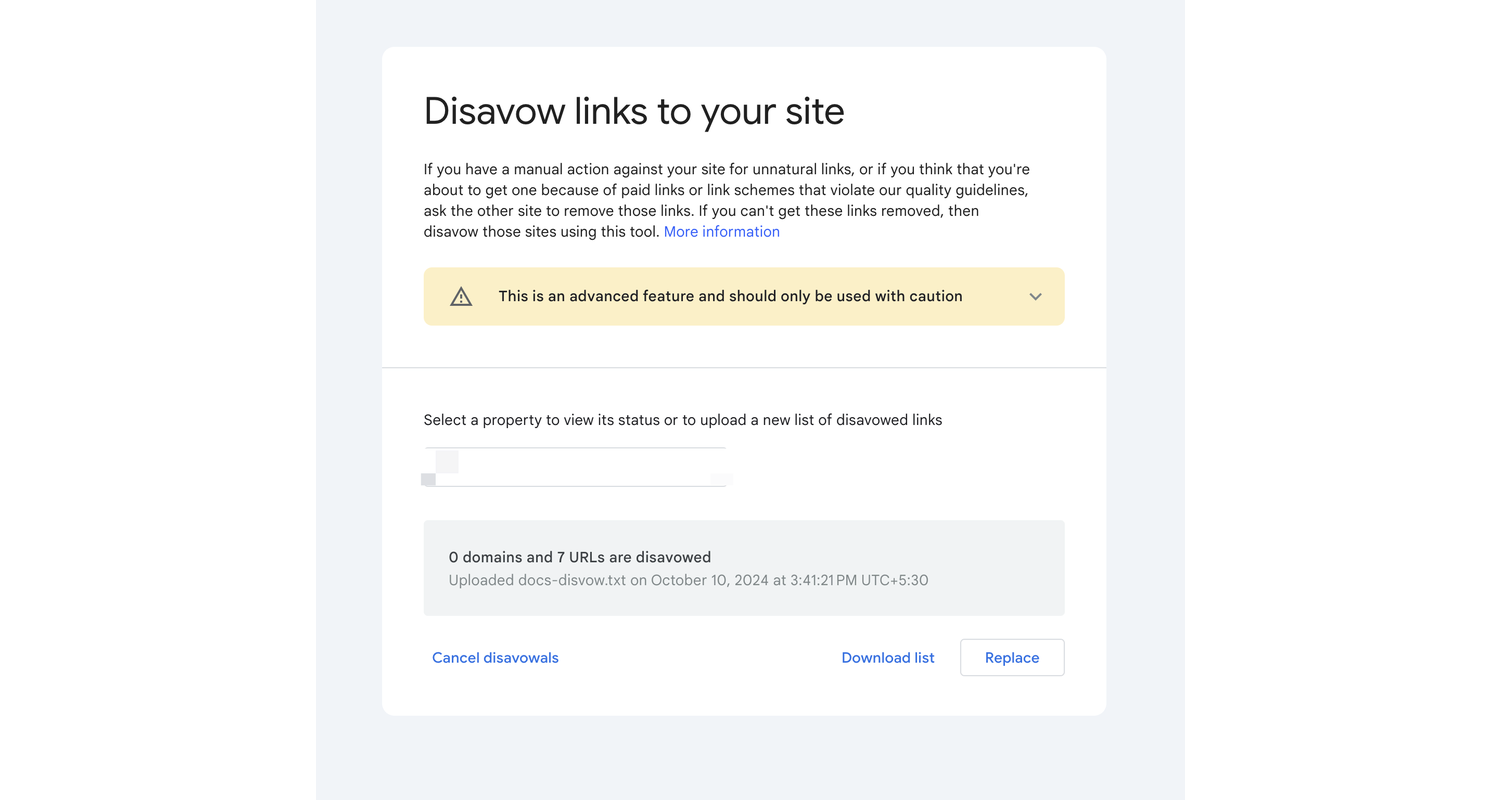
Keep a backup of any existing disavow file before uploading a replacement, since a new upload fully replaces the old one for that property.
Open the Disavow Tool and choose the correct property for your site. Upload the .txt file, then review any errors or warnings before confirming submission.
Document which URLs or domains you included, why each one was flagged, and the date you submitted the file. Save the previous version too, in case you ever need to compare what changed.
A disavow file can target a single URL or an entire domain, and the two are not interchangeable. URL-level disavowal fits an isolated problem, such as one bad page on an otherwise legitimate site.
Domain-level disavowal fits a source that is problematic across the board, like a link farm or a domain built purely to sell placements. It is a broader action, and treating it casually can strip out other pages on that domain that were never actually a problem.
A few habits turn a careful process into a risky one.
Most of these mistakes come from moving too fast. A slower, evidence-based process almost always protects a site better than a rushed one.
Google needs time to process a disavow file, since it only takes effect as your site gets recrawled and reprocessed. The backlink itself does not disappear, and a ranking improvement is never guaranteed just because a file went through.
From here, keep an eye on Search Console, your organic visibility, and any new backlink patterns over the following weeks. Avoid editing the file repeatedly without a clear reason, since frequent changes make it harder to tell what actually worked.
Disavowing backlinks works best as a careful, occasional decision rather than a routine response to anything that looks spammy. The safest path is to verify the risk, review links by hand, choose the right scope, and submit a properly formatted file only when the evidence actually supports it.
If you are unsure whether your backlinks are actually affecting your search performance, a professional SEO review can separate harmless link noise from problems worth acting on. Reach out to ReachGiant or book a quick strategy call to talk through what your link profile actually needs.
Should I disavow every toxic backlink?
No. Many spammy links flagged by a tool never need action. Disavow only after manual review confirms real risk, since removing links that were never a problem can do more harm than good.
How do I create a Google disavow file?
Build a plain .txt file with one entry per line. Use the full URL for individual pages, and use the domain prefix for an entire domain you want ignored.
Should I disavow a URL or the whole domain?
Disavow a single URL when the problem is isolated to one page. Disavow the whole domain only when the entire site is clearly built for spam or manipulation.
Does disavowing a backlink remove it?
No. The link stays live on the other site. Disavowal simply asks Google to stop counting it as a signal for your site.
How long does Google take to process a disavow file?
There is no fixed timeline. Processing happens as Google recrawls and reprocesses the pages involved, which can take some time.
Can disavowing backlinks hurt my SEO?
Yes, if you disavow links that were actually helping your site. That is why manual review before submission matters more than reacting to a single tool score.
Do I need to disavow every link an SEO tool flags?
Not automatically. A flagged link deserves a closer look, not an automatic disavowal. Most flagged links turn out to be harmless once reviewed.
What should I do before uploading a new disavow file?
Download and save a copy of your current file first. A new upload fully replaces the old one for that property, so keeping a backup protects your history.


.png)

.png)
.png)

.png)
.png)
.png)





.svg)